
Treat a purchase as a delivery to verify
A supplier purchase is a real-world delivery and financial commitment, not merely an amount to type into a screen. Before recording it in DaDy POS, check what arrived against the supplier’s bill or your own order notes. Confirm the product identity, pack size, and quantity, and make a note of a shortage or substitution. A familiar supplier relationship can make a quick glance feel sufficient, but careful checking prevents a wrong item or quantity from becoming the starting point for future stock errors. Shop purchase management software is most useful when checked deliveries and their supplier records stay connected.
Match descriptions before matching totals
A purchase total can look plausible while the items behind it are wrong. Compare descriptions line by line when practical, especially where suppliers use abbreviations or pack descriptions that differ from the product names used at the counter. If the supplier sells a carton while customers buy single units, ask how that conversion should be recorded in your installation. Do not silently treat unlike units as equal; a consistent, demonstrated unit setup matters to inventory accuracy.
Keep purchase and supplier balance separate
A purchase records goods coming into the shop; supplier credit concerns money that may remain owed or be settled later. Those ideas are connected but not interchangeable. If you pay immediately, make sure the record reflects the arrangement as demonstrated. If payment is deferred or partial, ask how the supplier-credit screen relates to the purchase entry. A clean process makes it easier for the owner to see what arrived and separately follow the outstanding amount.
Let purchases inform stock without guessing
Recording received goods supports inventory review, but it does not replace counting the goods or checking that the entry is correct. If stock levels appear unexpectedly high after a purchase, inspect the product selection, quantity, and unit. A duplicated purchase entry can distort the picture just as easily as a missing one. If the supplier delivered less than billed, do not record the full amount as physically received merely because that number appears on the invoice.
Handle damaged goods and supplier returns distinctly
Not every delivered item belongs on a saleable shelf. Set aside damage or questionable goods, note the condition, and contact the supplier according to your existing arrangement. When goods are sent back, use the purchase-return workflow rather than editing the original purchase without a clear reason. Preserving both sides of the story—the original receipt and later return—helps the shop explain what happened if stock or a supplier balance is reviewed.
Create a repeatable receiving routine
Small shops benefit from a few repeatable receiving steps: identify the supplier, check the delivery, mark exceptions, enter the goods, and store the bill where the owner can find it. Choose who may create or change purchase records, and communicate unfinished entries during a shift handover. If the shop takes deliveries while customers are waiting, avoid letting an interrupted entry become an unverified final record. A short written procedure is more useful than relying on one person’s memory.
Confirm fit before committing
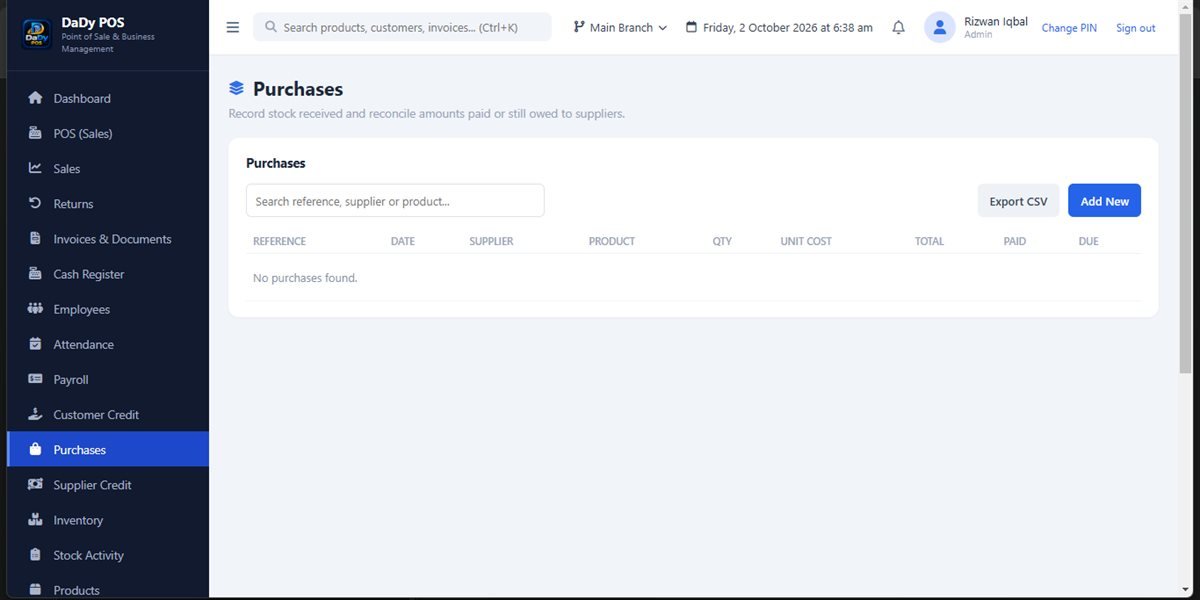
DaDy POS includes screens for products, inventory, purchases, purchase returns, suppliers, supplier credit, sales, and reports. Ask for a demonstration using one real supplier bill and a typical delivery from your shop. Check how the purchase relates to the product and supplier records and what steps are required to review an entry. Do not infer unshown features, integrations, or accounting outcomes from a screenshot.
Avoid entering the same bill twice
When an invoice arrives, search recent purchases before creating a new entry, especially if another employee may have started the work. Check supplier name, date, and invoice reference if those details are available in your process. A duplicate can make stock appear larger and supplier balances harder to reconcile. If a record is already present but incomplete, ask the provider how to finish or correct it without creating an unexplained second copy.
Record substitutions honestly
A supplier may send a similar product in place of the one ordered. Do not record the substitute under the expected item merely to close the delivery. Confirm whether the shop accepts it, identify the actual product, and ask how the catalogue should represent it. If the order remains unresolved, keep the goods separate and tell the owner before selling them.
Make the receiving process visible
Place incoming goods in a defined area until they have been counted and checked. A simple physical separation helps the team tell received stock from items already included in inventory. Label a delivery that is only partly checked, and tell the next shift what remains. Once verified, record it and move it to the shelf using the shop's normal routine.
Close the loop between order and delivery
A purchase record becomes more useful when the shop can relate it to the order that prompted the delivery. If the owner keeps a purchase note or supplier message, store it with the bill using the business's normal filing routine. On arrival, compare expected goods with what was actually received and record any outstanding difference. This helps distinguish a supplier short-shipment from a later counting error. If a delivery is split across multiple days, ask how to represent that sequence in your installation rather than entering the complete order as received at once. A clear timeline makes a later balance discussion calmer and supports a more credible inventory review.