
Decide what the shop records as an expense
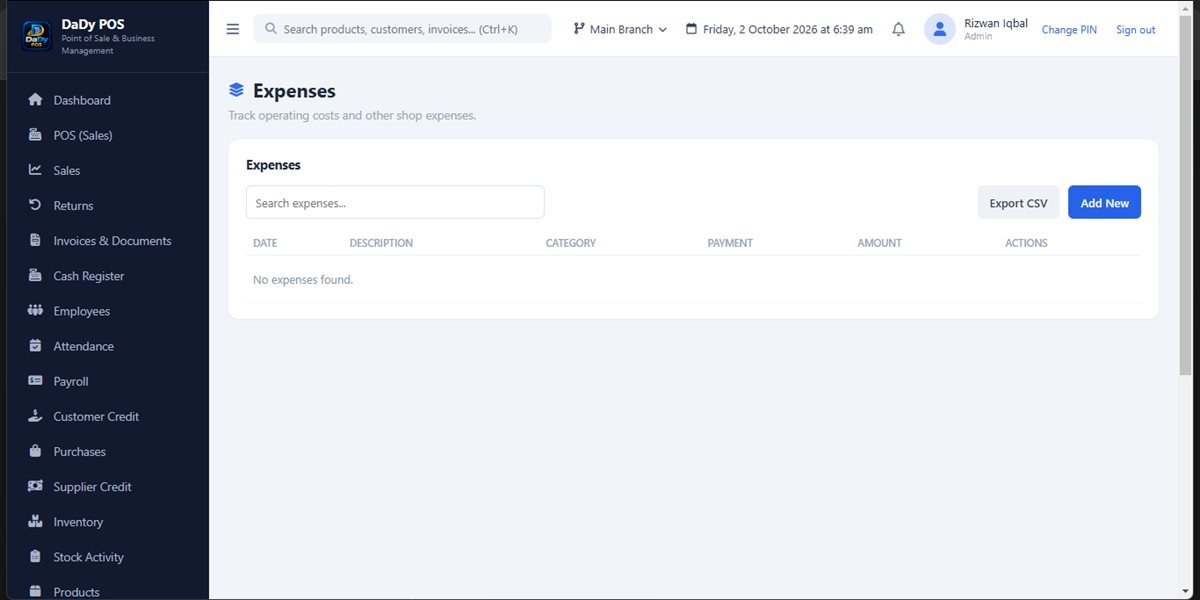
The expenses screen provides a place in DaDy POS to record shop outgoings. Before using it, agree what the business considers an expense and who may enter or approve one. Everyday examples might include a small operating cost paid during the day, but the right classification depends on the actual transaction and your business records. Ask a qualified advisor about accounting treatment where that matters; a POS category is not professional accounting or tax advice. Consistent shop expense tracking links each amount to its date, purpose, and supporting detail.
Keep a source and a clear description
When an expense is entered, retain the receipt or other supporting record according to your business routine. Use a description that helps the owner remember what was paid for, without adding unnecessary personal details. If multiple employees handle petty cash or pay local service providers, agree what information is expected and where the source document will be kept.
Record timing and responsibility consistently
A shop may pay an expense at the time it occurs, while another may reimburse an employee later. Agree who records each situation and when. If staff pay from a cash drawer, note the event promptly so the closing review can account for it. If the owner reimburses someone later, record the actual sequence as supported by your setup rather than entering a duplicate expense.
Use categories sparingly and accurately
If the expense screen groups entries, choose a small set of categories that the owner can maintain. Names should describe the business purpose in plain language. Avoid creating a new category for every one-off payment or choosing a category because it makes a report look convenient. Confirm the available fields and categories in a demonstration before deciding how your books will be organized.
Keep expenses distinct from stock movement
A payment to buy goods should be recorded through the purchases process, and a change to physical inventory should have its own explanation. An expense entry cannot tell the owner which products arrived or whether stock was received. Likewise, a customer refund is not necessarily an operating expense. Clear separation helps you understand why cash changed and what happened to goods.
Review a pattern without drawing a quick conclusion
A report or list of expenses can prompt the owner to investigate recurring outgoings or an unexpected entry. Check the underlying details, dates, and supporting papers before deciding what a pattern means. A single unusual payment may reflect a one-time repair or delivery need. A simple category total does not automatically show profit, cash flow, or legal compliance.
Make a straightforward staff policy
Tell employees what they may spend, which payments require approval, and what they should do if a receipt is missing. Keep the policy understandable for a small team. A handover note can identify an expense entered but awaiting a document. Restrict changes to people who understand the process, and review corrections so the history remains useful.
Check fit and terms with the provider
Ask to see common examples from your shop entered as an expense, purchase, payment, and return. Confirm how the saved record can be reviewed and whether the workflow captures the details you need. The stated price is Rs 12,500 plus Rs 1,000 monthly. Ask what the monthly amount covers and whether the demonstrated setup matches your actual routine.
Separate business spending from personal money
In a small family-run shop, one person may handle household and shop cash. Make a clear distinction in the record between a business expense and a personal withdrawal or contribution. Ask an accountant how to classify ambiguous cases. Do not put a personal amount into the expense list simply because it left the same cash drawer.
Review small cash spending before closing
Minor purchases can be easy to forget when the owner is busy. Keep receipts together and enter small shop costs at a predictable time, while the details are still fresh. If a receipt is unavailable, follow the shop's process for a factual note and owner review rather than guessing the amount.
Check who approves unusual outgoings
Routine expenses may follow a simple rule, while an unusually large or unexpected payment should be referred to the owner. Set an approval threshold that makes sense for the business and tell staff how to ask. The software cannot know whether an expense was authorized unless the shop's people apply the approval process.
Use a consistent review for receipts and amounts
Choose a time when the person responsible can check recent expenses against the paperwork the shop has collected. Look for missing receipts, duplicated entries, unclear descriptions, and amounts that need owner approval. If one employee paid and another enters the details, make their handover clear enough to connect the source document to the entry. Keep unresolved issues visible rather than filling gaps with estimates. The frequency should suit the number of shop expenses; a small business may need only a brief periodic check. For formal bookkeeping or tax questions, ask a qualified advisor what supporting records are appropriate for your situation.